Create Slime Mart Filming Tips
Plan the take, frame the snack, stretch then squish, and bank cleaner Subs.
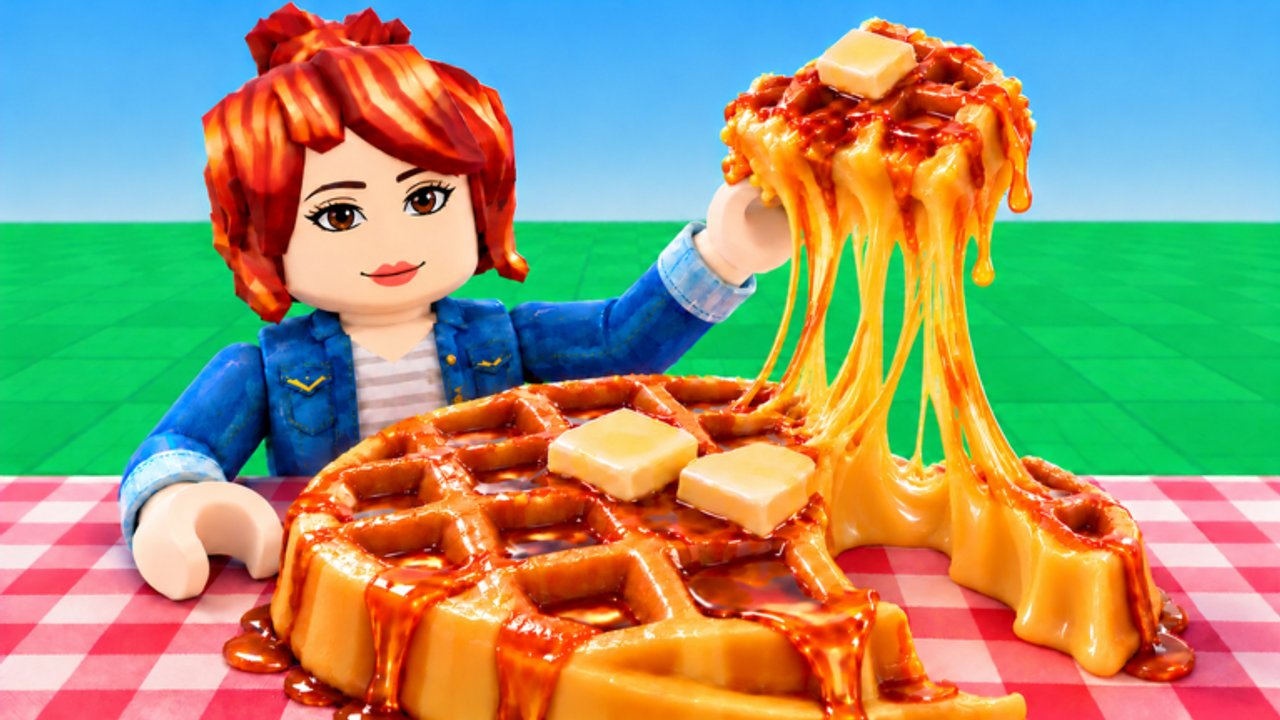
Filming is the payoff loop in Create Slime Mart. Courgette Fan Club’s early-access Roblox mart (testing since 26 October 2026) pays Coins and Subs when you present stretch, squish, and crunch moments—not when you only park a pretty plate. This guide focuses on camera angles, take planning, the stretch-then-squish order, mobile vs PC habits, when to re-take versus rebuild, and collab filming etiquette. Pair it with How to Make Slime Food for craft quality, Earn Coins and Subs for economy pacing, and Controls for input precision.
If you are brand new, finish Getting Started first so you already know how to claim a table and open a box. Use the Guides Hub when you need the full tutorial map.
Why film quality feeds the Subs fantasy
Subs lean into the creator fantasy: you are not only crafting slime food—you are presenting it as if an audience is watching. Clean framing, readable food identity, and intentional gesture timing make that fantasy feel earned. Rushed mash-clicks, avatar-blocked plates, and half-finished toppings read as accidental. The game still rewards completing the loop, but deliberate takes usually feel better and teach habits that survive early-access UI tweaks.
Coins still matter for the next box and restock buys. Treat film quality as the bridge between a finished create and progress you are proud of, not as a separate mini-game. Check Updates after patches if gesture prompts or reward feedback change labels.
Plan the take before you touch stretch
Great clips start before the first stretch.
- Finish the create — base seated, toppings stable, Extras readable. Do not open stretch while you still intend to move cheese.
- Clear UI clutter — close shop, pets, and inventory panels so gestures hit the snack, not a hidden button.
- Pick the hero angle — decide the one view that sells the food identity (waffle grid, donut hole, pizza slice silhouette).
- Stage your avatar — stand where you will not eclipse the plate when the camera settles.
- Call the shot in collab — say “filming now” so friends stop walking through frame.
Take planning turns filming into a short ritual instead of a panic button. If Extras still feel unfinished, skim Extras and Toppings before you commit to a take.
Camera angles that sell slime food
Three-quarter table view (default hero)
Drop the camera so the plate fills most of the frame with a slight side bias. You see height, glaze, and topping layers without a flat top-down lie. This is the safest angle for stretch readability.
Side profile for height stacks
Use a true side view when toppings tower. Stretch looks more elastic when the camera can track vertical pull. Switch back to three-quarter before squish if the side view hides the snack’s face.
Slight top-down for pattern foods
Donut rings, sprinkle patterns, and pizza layouts sometimes need a higher camera for identity. Keep a small tilt so stretch still has depth; pure bird’s-eye can look stiff.
What to avoid
- Extreme zoom that crops the stretch path off-screen.
- Wide shots where the snack is a tiny blob in a busy mart.
- Angles where your avatar’s torso bisects the plate.
- Constant orbiting mid-take—pick a frame and hold it.
On PC, micro-orbit with slow mouse movement. On mobile, use short swipes and re-check after each adjust. More input detail lives on Controls.
Stretch, then squish (then crunch)
Order matters for the fantasy.
- Frame first — camera locked on the hero angle.
- Stretch slow — pull elasticity so the snack reads as slime, not a teleport.
- Hold a beat — let the stretched shape register.
- Squish with intent — one deliberate payoff, not ten panicked taps.
- Crunch as finale — if your kit exposes a crunch interaction, use it as the closer, not the opener.
Opening with squish or mashing every gesture at once looks accidental and wastes the sensory story the mart is selling. If a take fails mid-stretch, stop, re-frame, and restart the gesture sequence rather than improvising chaos.
Mobile vs PC filming
PC strengths
- Finer camera orbits and steadier framing.
- Easier to keep the cursor away from accidental UI hits.
- Better for micro-adjusting after a near-miss take without moving your whole body.
Habits: plant the camera, trigger stretch/squish from prompts, keep one hand ready to nudge orbit only between takes—not during them.
Mobile strengths
- Fast join-and-play sessions and natural “phone creator” fantasy.
- Good enough for excellent takes if you zoom closer than feels necessary.
Habits: rest the device when possible, use short camera swipes, close stacked menus before filming, and plant non-thumb fingers so the phone does not tilt mid-squish. If placement felt noisy earlier, fix toppings before you film—mobile mis-taps are harder to hide on camera.
Neither platform replaces craft skill. A messy create looks messy on every screen. Compare recipe priority on the Tier List when deciding which kits deserve your cleanest takes.
Re-take versus rebuild
Burning a whole box because one gesture felt wrong is expensive.
Re-take when:
- The create still looks intact.
- The failure was camera bump, avatar in frame, or rushed stretch timing.
- You can re-frame and run stretch → squish again without dismantling toppings.
Rebuild (or open a new box) when:
- Toppings collapsed or identity is gone.
- Extras clipped into an unreadable blob.
- You already spent several failed takes and the snack no longer reads as food.
Default bias: second take before second box. Coins spent on a new kit only help if you will film the replacement. Economy context for that decision is in Earn Coins and Subs.
Collab filming etiquette
Servers support online co-op with a practical ceiling near 10 players. Small rooms make filming social—and messy—if nobody coordinates.
- Announce takes — “filming waffle” beats silent stretch while a friend walks into frame.
- Stagger tables — do not stack two avatars on one plate unless you planned a dual create.
- Take turns on shared hero shots — let each person finish stretch → squish before the next starts.
- Keep restock calls out of mid-take chat spam when someone is clearly filming.
- Respect pets and props — companions and clutter belong beside the shot, not through it; see visit habits on Players.
Collab should raise presentation discipline, not lower it. Watching a friend’s clean take is often the fastest way to improve your own timing.
Mid-session filming checklist
- Create finished and Extras settled.
- UI closed; prompts visible.
- Hero angle chosen and held.
- Avatar clear of the plate silhouette.
- Slow stretch → intentional squish → optional crunch.
- Bank feedback; decide re-take or next box.
- Optional: redeem anything new on Codes between creates (none confirmed active as of November 2026—recheck after patches).
Related reading
- Guides Hub — full how-to index.
- Getting Started — first-session path.
- How to Make Slime Food — assembly quality before camera.
- Extras and Toppings — finishing details that read on film.
- Earn Coins and Subs — why filmed loops pay.
- Controls — camera and gesture inputs.
- Players — visit friends without wrecking takes.
- Tier List — which snacks deserve premium film effort.
- Updates — patch changes to prompts or rewards.
- Codes — freebies when drops exist.
Film like a tiny studio inside the mart: plan the take, frame the food, stretch then squish, re-take before you rebuild, and treat friends as crew—not obstacles. That habit stack is how Create Slime Mart’s Coins-and-Subs fantasy actually feels good session after session.
Frequently Asked Questions
Quick answers to the most common questions.
Should I stretch or squish first when filming?
Stretch first with a slow pull, hold a beat, then squish for payoff. Use crunch as a finale when available. Opening with mashed squish reads accidental.
What camera angle works best for Create Slime Mart?
A three-quarter table view is the safest hero angle. Use side profile for tall stacks and a slight top-down only when patterns need identity, then hold the frame.
When should I re-take instead of rebuilding the create?
Re-take if the snack is intact and the problem was framing, avatar blocking, or gesture timing. Rebuild only when toppings collapsed or the food identity is gone.
Is filming different on mobile and PC?
PC offers finer orbits and steadier framing; mobile needs closer zoom, shorter swipes, and a planted grip. Both need finished creates and closed UI before gestures.
How do I film politely with friends?
Announce takes, stagger tables, finish stretch-to-squish before the next person starts, and keep mid-take chat light. See the Players hub for visit etiquette in ~10-player servers.