Getting Started in Create Slime Mart
From first join to your first filmed slime snack — a clear day-one path.
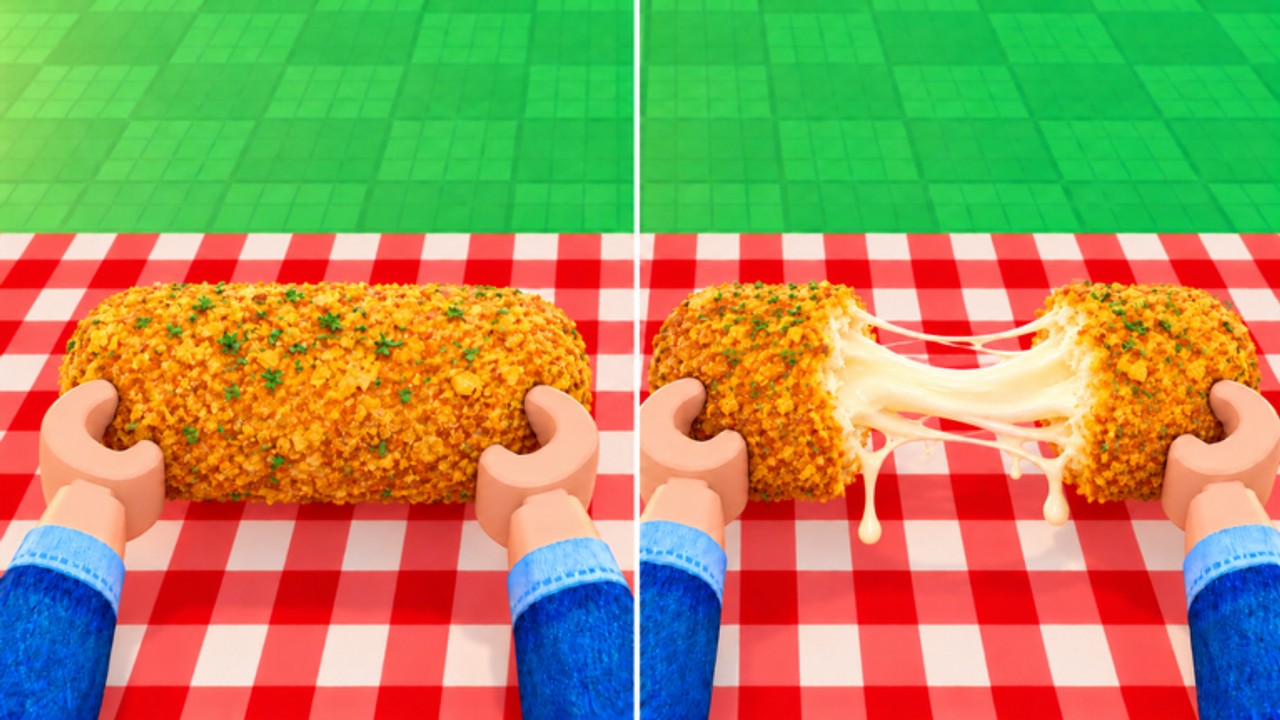
Welcome to Create Slime Mart, the Courgette Fan Club slime-kitchen experience on Roblox (place 136555269557967). The game has been in early access and testing since 26 October 2026, so systems can shift, but the core loop is already clear: pick a slime food box, open it at a table, build a waffle, donut, pizza, or other snack with Extras, then stretch, squish, and film for Coins and Subs. Servers support online co-op with up to 10 players, so you can visit friends and collaborate while you create.
This guide walks a brand-new player through the first session without wasting time. Bookmark the Codes page for freebies, skim the Tier List when you start comparing recipes, and keep Players handy when you want a friend server. For patch notes and the Pets drop, check Updates.
Join the experience and orient yourself
Open Roblox, search for Create Slime Mart by Courgette Fan Club, or use the official place link from this wiki’s home page. Join a public server or a friend’s private session if they invite you. After you load in, take ten seconds to look around: find the shop or box area, the crafting tables, and any UI buttons for inventory, codes, shop restocks, and filming.
If the onboarding tips appear, follow them once. They usually highlight how to claim a box and interact with a table. On PC, click or press the interact key near prompts; on mobile, tap the on-screen button. Full mapping lives in our Controls guide — open it in another tab if camera or placement feels awkward.
Claim your first slime food box
Your first meaningful action is grabbing a slime food box. Early stock commonly includes waffle, donut, and pizza kits, plus other snack themes as the mart restocks. Boxes are the entry ticket: without one, you have nothing to assemble at the table.
Pick something simple for run one. Waffles are often the friendliest first create because the base shape is clear and toppings read well on camera. Donuts shine when you want glaze and sprinkle flex. Pizza rewards careful layering. You do not need the “best” box yet — you need a complete create you can film. Deeper recipe craft is covered in How to Make Slime Food.
Watch the shop. Restocks rotate what is available. If the box you wanted is gone, grab the next best option and keep moving. Standing idle waiting for a perfect restock is the slowest way to learn the game.
Table workflow: open, build, customize
Carry your box to a free table and open it. The kit spills into a dough or base layer plus toppings and decorative pieces. Work in a calm order:
- Set the base (waffle grid, donut ring, pizza dough, or whatever the box provides).
- Add the main fill or sauce so the create looks edible and intentional.
- Place toppings with purpose — symmetry or a bold off-center focus both work if the camera can read them.
- Open Extras customization to add flair that makes your snack unique.
- Do a final visual check before you stretch or film.
Extras matter more than beginners expect. A plain create still earns, but a customized one photographs better and feels more “finished” when friends visit. Treat Extras as the last 20% of presentation, not an optional afterthought.
If something clips or floats, undo and replace it. Precise placement tips (especially on mobile) are in Controls. Rushing a messy plate usually costs more time than rebuilding one topping.
Stretch, squish, crunch, then film
Create Slime Mart is not only about looking pretty — the sensory loop is the product. After assembly, stretch, squish, and play with crunchy interactions so the slime feels alive. These gestures are part of how the game sells the snack fantasy and feed into how well your filming session lands.
When you are ready, use the film flow to capture your creation. Filming and creating are the main paths to Coins and Subs. Coins fuel shop buys and restock-driven progression; Subs track the creator-style growth fantasy of the mart. A clean first film beats five unfinished tables. For efficiency loops, restock timing, and collab boosts, read Earn Coins and Subs.
Your first economy goals
In session one, aim for three concrete wins:
- Complete one full create from box to film.
- Earn your first Coins and see Subs move so you understand the reward feedback.
- Visit the shop once after filming to learn what restocks cost and what you still need.
Do not obsess over perfect tiers on day one. Use the slime food tier list later when you compare flex value versus effort. Early on, volume of complete creates teaches more than theory.
Where codes, tiers, and pets fit
Codes are free progress. As soon as a redeem UI is available in your build, enter any active strings from the Codes hub. Step-by-step redemption and troubleshooting live in How to Redeem Codes. Never invent codes; only use listed active ones, and expect case sensitivity.
Tier lists help after you have made a few snacks. Rankings for food and pets are community-style guidance, not hard law, but they save you from grinding low-flex options when you care about showcase value. Start with Slime Food Tier List and Pets Tier List.
Pets arrived with the Pets update and sit beside the kitchen loop rather than replacing it. Once you understand boxes and filming, open the Pets Guide and the Pets Update notes so you know what companions add and what to try first. Pets are collection and loop flavor — keep creating slime food as your main skill.
Co-op and visiting friends
Create Slime Mart is built for online co-op. Join friends, visit their spaces, and collaborate on the mart fantasy together. A shared session makes restock timing less lonely and gives you live feedback on presentation. Use the Players hub for visit and collab tips. Cap awareness matters: sessions support a modest player count (about 10), so coordinate who joins if your friend group is large.
A simple first-hour checklist
- Join Create Slime Mart and locate boxes, tables, shop, and film UI.
- Redeem any live codes from Codes.
- Buy or claim one starter box (waffle, donut, or pizza).
- Assemble with Extras; stretch and squish before filming.
- Film once; note Coins and Subs gains.
- Check shop restock timing; plan create number two.
- Invite a friend via Players if you want collab energy.
- Skim Updates so you know Pets and other live features.
Common beginner mistakes
- Hoarding boxes without filming — unfinished creates teach nothing.
- Skipping Extras — your snack looks unfinished on camera.
- Ignoring restocks — you miss better kits and toppings.
- Fighting the camera instead of learning controls.
- Chasing pets before the kitchen loop — pets amplify a loop you already understand.
What to read next
After this page, go deep on recipes with How to Make Slime Food, then optimize income with Earn Coins and Subs. When you are ready for companions, open the Pets Guide. Keep Updates bookmarked while the game is in early access — Courgette Fan Club is still iterating on the mart.
You now know how to join, open a box, work a table, film for Coins and Subs, and where codes, tiers, and pets fit. Make one great snack, film it, and the rest of the wiki will make sense.
Frequently Asked Questions
Quick answers to the most common questions.
Is Create Slime Mart fully released?
It has been in early access and testing since 26 October 2026 by Courgette Fan Club. Expect balance and feature changes; follow the Updates hub for Pets and other patches.
What should I make first: waffle, donut, or pizza?
Any complete create is fine. Waffles are usually the easiest first film; donuts and pizza reward careful toppings. Focus on finishing and filming once before optimizing.
How do I earn Coins and Subs?
Primarily by creating slime food and filming stretch, squish, and presentation moments. See the Earn Coins and Subs guide for efficient session loops and restock timing.
Can I play with friends?
Yes. Create Slime Mart supports online co-op with a small server cap (about 10 players). Visit friends and collaborate; the Players hub covers visit tips.
When should I worry about pets and tier lists?
After you can complete a box-to-film loop. Then read the Pets Guide, Pets Update, and the slime food / pets tier lists so collection choices match your kitchen goals.