Create Slime Mart Pets Guide
How the Pets update fits beside boxes, Extras, and filming — without replacing the kitchen.
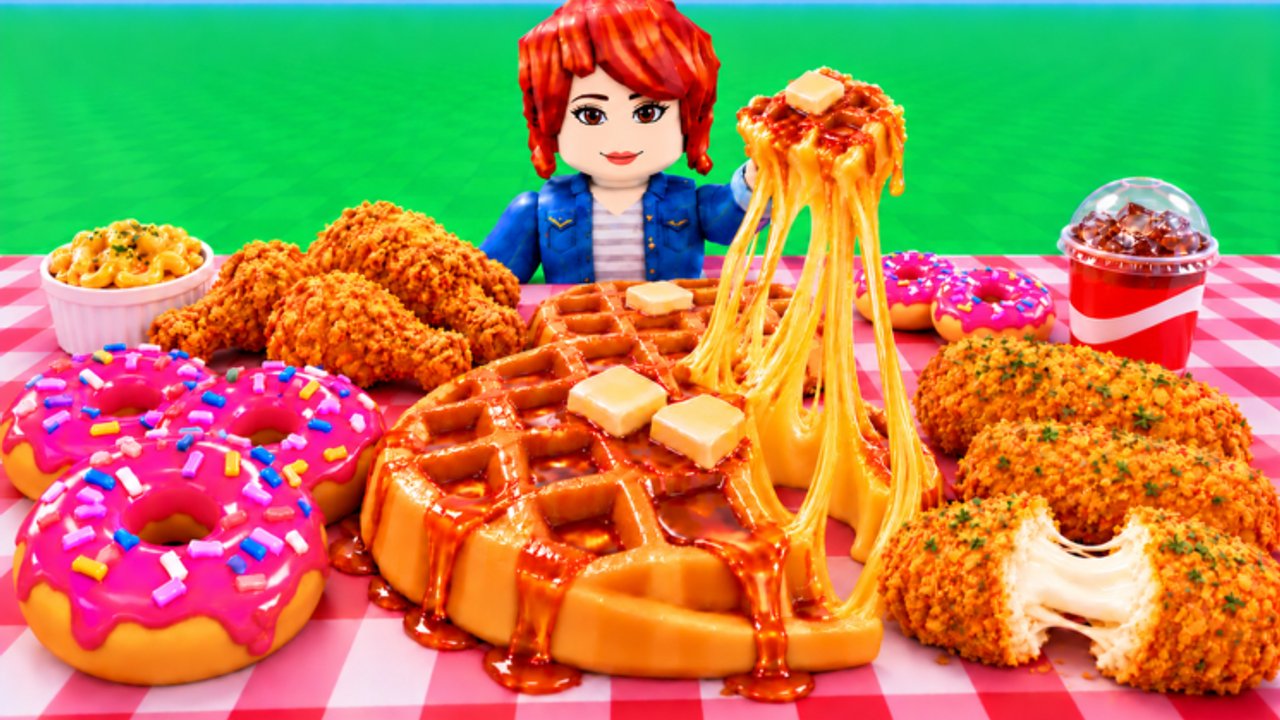
The Pets update is one of the biggest flavor shifts in Create Slime Mart since Courgette Fan Club opened early access and testing on 26 October 2026. Companions sit beside the slime kitchen rather than deleting it: you still pick boxes, build waffles, donuts, pizza, and other snacks, customize with Extras, then stretch, squish, and film for Coins and Subs. Pets add collection goals, presence in your mart space, and another reason to hop into co-op with friends.
This guide explains what pets add, how they fit the create loop, how to collect without bankrupt spending, and where to go next. For patch context, read Pets Update. For rankings that will keep evolving, see Pets Tier List. If you are brand new, finish Getting Started before deep pet hunting.
What pets add to Create Slime Mart
Pets are companions layered onto the existing fantasy. Expect them to:
- Give you a collection goal beyond finishing another waffle.
- Add visual personality while you cook and film.
- Create new talking points in co-op visits — friends notice rare or themed pets.
- Give Courgette Fan Club a live-ops hook for future restocks and showcases.
What pets should not do in your head: replace learning table craft. A pet next to a messy, unfilmed create does not fix weak Coins and Subs. Keep How to Make Slime Food and Earn Coins and Subs as your skill backbone.
Because the feature is young, treat specific boost numbers, hatch rates, or shop SKUs as patch-sensitive. When in doubt, verify against the latest Updates notes and in-game UI rather than outdated screenshots.
How pets fit the slime kitchen loop
A healthy session still looks like: check restocks → grab a box → build with Extras → stretch/squish → film → bank Coins/Subs. Pets plug in at the edges:
- Before cooking: equip or bring out a pet you enjoy seeing on camera.
- During cooking: use pet presence as motivation to keep the table tidy for collab screenshots.
- After filming: decide whether surplus Coins go to another food box or toward pet collection sinks.
- In co-op: compare pets with friends using visit tips from Players.
If pet menus ever compete with your focus, mute the collection urge for one full create. The mart fantasy dies when you stand in a shop UI for twenty minutes without filming anything.
Collection tips that respect early access
1. Unlock kitchen competence first
Can you finish a box-to-film loop without confusion? If not, pets can wait. Collection systems feel better when Coins refill predictably.
2. Budget Coins like a restock pro
Keep liquidity for food boxes when the shop flips. A pet purchase that leaves you unable to cook after restock is a net loss for both currencies’ loops. Re-read restock timing advice in Earn Coins and Subs.
3. Collect themes, not only “best”
Early Pets meta is evolving. Instead of only chasing whatever today’s Pets Tier List marks on top, build a small themed set that matches your favorite snacks — dessert pets with donut runs, savory vibes with pizza nights. Thematic sets photograph better and stay fun when rankings shift.
4. Use collab as a discovery tool
Visit friends, ask what they are running, and watch how pets read on someone else’s film angle. Online co-op (about 10 players per session) is ideal for soft research without spreadsheet culture.
5. Track updates, not rumors
Create Slime Mart is still iterating. Prefer Pets Update and official in-game text over invented drop rates. Never invent codes for pet bundles either — only redeem listed entries on Codes.
Pets versus slime food priority
| Goal | Priority |
|---|---|
| Learn the game | Food loop first |
| Grow Coins/Subs | Film quality creates |
| Flex in visits | Strong food + pet duo |
| Pure collection | Pets after stable income |
When unsure, spend the next Coins on a box you will film today. Pets shine as a multiplier on an account that already creates.
Presentation tips with pets on screen
- Keep the snack as the hero; pets are supporting cast.
- Avoid blocking the plate when you stretch for Subs-friendly footage.
- If a pet model is busy, simplify Extras on the food so the frame is not noise.
- On mobile, stabilize camera first — see Controls — then pose.
A clean waffle with a calm pet beats a cluttered pizza buried behind three effects.
Common mistakes
- Pet-first syndrome: emptying Coins on companions before you can cook.
- Ignoring food tiers: spending on pets while only making low-effort snacks you never film.
- Chasing every rumor: early-access pets change; overreacting burns resources.
- Skipping collab: you miss seeing how pets actually read in social sessions.
- Forgetting codes: freebies on Codes can offset collection costs when live.
Suggested progression path
- Complete Getting Started and one solid filmed create.
- Practice two recipe styles via How to Make Slime Food.
- Stabilize income with Earn Coins and Subs.
- Read Pets Update for what changed.
- Start a small themed pet collection; consult Pets Tier List as soft guidance.
- Keep comparing snack flex on Slime Food Tier List so kitchen skill stays sharp.
How this wiki keeps pets honest
We frame pets as an evolving meta. Rankings on the tier pages are community-style guidance with clear criteria, not eternal law. When Courgette Fan Club ships balance changes, return to Updates and adjust your targets. The kitchen loop — boxes, Extras, stretch, film — remains the constant.
Pets make Create Slime Mart cozier and more collectible. Let them ride along while you keep plating snacks worth squishing on camera.
Frequently Asked Questions
Quick answers to the most common questions.
Do I need pets to play Create Slime Mart?
No. Pets are a collection and flavor layer on top of the slime food loop. You can create, customize, and film without them.
Should new players buy pets immediately?
Not until you can finish a box-to-film loop and keep Coins for restocks. Kitchen competence first, collection second.
Where can I see which pets are best?
Use the Pets Tier List as evolving, criteria-based guidance, and read the Pets Update page for launch-era context. Meta will shift during early access.
How do pets interact with Coins and Subs?
Treat pet sinks as optional spends after you understand create-and-film earnings. Pets do not replace filming quality creates for Coins and Subs.
Can friends see my pets in co-op?
Pets are part of the social fantasy — visit friends via the Players hub and compare companions while you cook together in online co-op.